FreshBooks vs Wave: Which Invoicing Tool Is Better for Freelancers?
A practical comparison for freelancers choosing between Wave’s low-cost invoicing setup and FreshBooks’ more structured client billing workflow.
FreshBooks vs Wave is not really a fight between “paid” and “free.” It is a choice between two different freelance finance workflows.
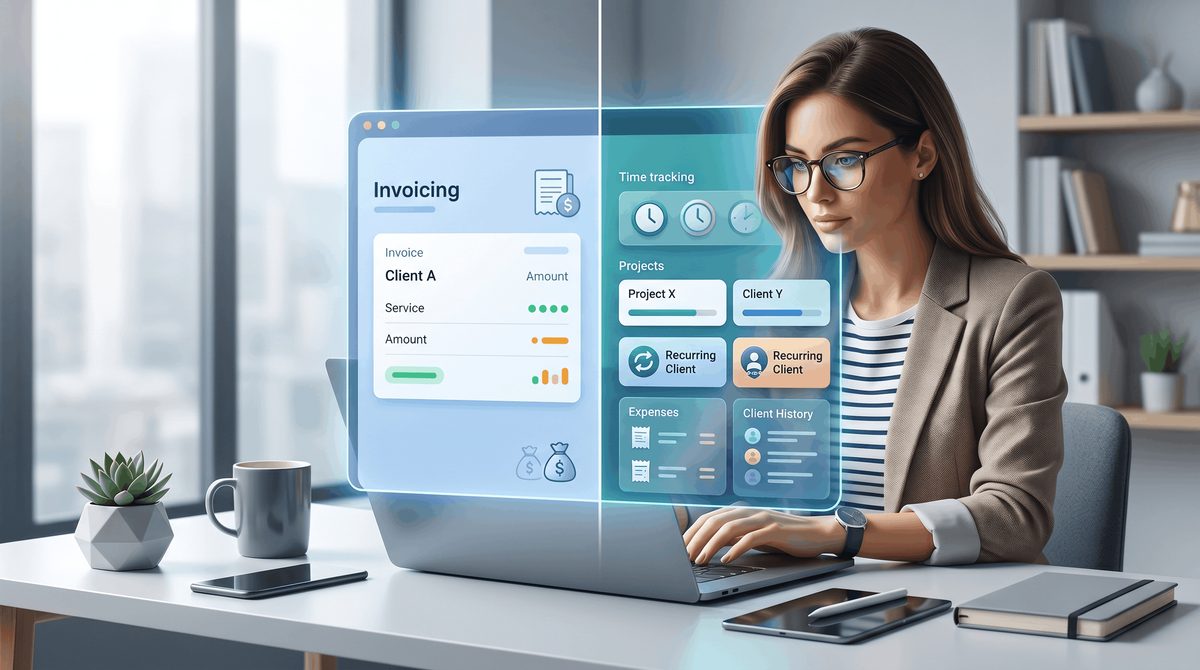
Wave is better when you want simple invoicing, basic bookkeeping, and fewer software costs. FreshBooks is better when your invoices are connected to time tracking, projects, retainers, recurring clients, expenses, and a deeper client history.
For many new freelancers, Wave is the easier place to start. For freelancers with more active client work, FreshBooks can save time because it gives the billing process more structure.
ToolFoundry may earn commissions from qualifying purchases. Our recommendations are independent and based on research. Full disclosure.
Quick verdict
- Choose Wave if you send simple invoices, want to keep costs low, and do not need a heavy client-management workflow.
- Choose FreshBooks if you bill by time, manage projects, work with recurring clients, or want cleaner records around each client.
- Wave is easier to justify early because the Starter plan keeps software costs low.
- FreshBooks is easier to justify once billing becomes part of a bigger service-business workflow.
- Do not switch tools too casually. Invoice numbers, client records, payment settings, and old financial data can become annoying to move later.
| Tool | Best for | Free plan | Main tradeoff |
|---|---|---|---|
| Wave | Simple freelance invoicing and basic bookkeeping | Yes, Starter plan | Less structure for project-heavy client work |
| FreshBooks | Freelancers who need time, projects, retainers, clients, and billing in one workflow | No, free trial only | Paid subscription can be unnecessary for simple invoicing |
FreshBooks vs Wave: the real decision
The real question is not: Which tool has more features?
FreshBooks has the broader workflow. Wave has the simpler starting point.
The better question is:
How complicated is your client billing?
If your work looks like this:
Finish project → send invoice → get paid → record income
Wave is probably enough.
If your work looks like this:
Track time → manage a project → add expenses → bill a client → follow up on payment → review client history later
FreshBooks starts to make more sense.
That distinction matters because invoicing software gets sticky. Once clients, invoice numbers, payment links, tax settings, and old records live inside one system, switching is possible, but rarely fun.
So the best tool is not always the “most powerful” one. It is the one that matches how you actually bill clients.
Pricing and cost fit
Wave’s biggest advantage is cost. Its Starter plan gives freelancers a low-cost way to create invoices and manage basic records without immediately adding another monthly subscription.
That is a big deal for early freelancers.
When you are still testing your business, working with a few clients, or sending only a handful of invoices per month, paying for a bigger finance tool can feel unnecessary.
FreshBooks is different. It is a paid product after the trial period, so it has to earn its place. That does not make it worse. It just means the value needs to be clear.
FreshBooks makes more sense when it helps you:
- Reduce admin time
- Track billable hours more cleanly
- Manage recurring clients
- Keep client records organized
- Connect invoices with expenses, projects, and retainers
- Give a bookkeeper or accountant cleaner data later
A simple rule:
If software cost is the main pain, start with Wave. If messy billing is the main pain, look at FreshBooks.
The mistake is buying FreshBooks because it feels more “professional” when all you need is a clean invoice. The opposite mistake is choosing Wave only because it is cheaper, then outgrowing it almost immediately.
Invoicing workflow
Wave is strongest when invoicing should stay simple.
You create an invoice, send it, track whether it was paid, and keep the basic financial record. For many freelancers, that is the whole job.
This works especially well for:
- Fixed-fee projects
- Occasional freelance work
- Low-volume client billing
- Simple services
- Freelancers who already manage projects somewhere else
FreshBooks is better when the invoice is the final step in a longer workflow.
For example, if you track time during the week, assign that time to a project, add expenses, and then turn everything into an invoice, FreshBooks gives you more of that structure in one place.
That matters once your client work becomes more layered.
You may start feeling the limits of simple invoicing when you add:
- Multiple recurring clients
- Hourly billing
- Retainers
- Project-based work
- Expense billing
- Follow-up reminders
- A need to look back at client history quickly
So Wave vs FreshBooks invoicing comes down to this:
Is the invoice just a document, or is it part of your client-management process?
If it is just a document, Wave is usually enough. If it is part of a larger workflow, FreshBooks has the edge.
Accounting and bookkeeping
Wave is a practical choice for freelancers who want invoicing and basic bookkeeping without much friction. It is especially useful if your finances are still simple and you mostly need to know what came in, what went out, and which invoices are unpaid.
FreshBooks leans more toward service-business accounting. It connects billing with clients, projects, time, expenses, and reports. That can make your bookkeeping feel closer to the actual work you do.
The tradeoff is setup.
More structure means more fields, more choices, and more things to maintain. That is useful if you need it. It is annoying if you do not.
For a freelancer, the best accounting tool is the one you will actually keep updated.
A messy FreshBooks account is not better than a clean Wave setup.
Choose Wave if your bookkeeping is simple and you mainly need clean invoice and payment records.
Choose FreshBooks if your bookkeeping gets messy because the work behind each invoice is harder to track.
Client management and project work
This is where FreshBooks separates itself.
FreshBooks is better for freelancers whose client work has layers: tracked time, project budgets, recurring billing, retainers, expenses, and a need to understand what is happening with each client over time.
Wave is better when you do not need many layers.
For example, a logo designer who sends one fixed-price invoice at the end of each project may not need a full project billing system.
But a consultant billing four clients every month by the hour may want something more structured. In that case, time tracking, project records, and client history become more valuable.
Best for Simple freelance invoicing
Wave
It keeps the billing workflow lean when you mainly need to create invoices, send them, and track basic payment records.
Best for Structured client billing
FreshBooks
It is a better fit when invoices connect to time, projects, recurring clients, retainers, expenses, and ongoing client history.
The practical tradeoff is simple:
Wave helps you avoid software bloat. FreshBooks helps you avoid workflow sprawl.
Payments and getting paid
Both tools can support a freelancer payment workflow, but this is one area where you should always check the current fees, payment options, and supported countries before choosing.
Do not choose only by looking at the invoice editor.
The real payment questions are:
- Can your clients pay in the way they already prefer?
- Are online payments available for your location and business type?
- Are the processing fees reasonable for your invoice size?
- Can you track paid, unpaid, and overdue invoices easily?
- Can you export records if you switch later?
- Does the tool fit your accountant or tax workflow?
This matters because a nice-looking invoice is only one part of the process.
The full workflow is:
Send invoice → client pays → payment gets recorded → books stay clean → taxes are easier later
If that chain breaks, the tool becomes annoying.
Wave is attractive when you want a simple payment and invoicing setup without much software overhead.
FreshBooks is attractive when payment collection is part of a larger client workflow, especially if you also need reminders, recurring invoices, retainers, or cleaner client records.
Integrations and workflow fit
FreshBooks is usually the better fit if you want your invoicing tool to sit inside a bigger business system. It has more room for connected workflows around clients, projects, accounting, payments, reporting, and team or accountant access.
Wave is better if you want the finance tool to stay small and focused.
That can be a good thing.
Not every freelancer needs a large stack. Sometimes the best workflow is:
- Proposal in one tool
- Project management somewhere else
- Invoice in Wave
- Taxes handled separately
That is perfectly valid if it stays clean.
FreshBooks becomes more useful when you want fewer disconnected pieces. If your time tracking, expenses, invoices, and clients are scattered across too many places, a more structured tool may save mental energy.
The question is not “Which tool integrates with more things?”
The question is:
Do you want your invoicing tool to stay lightweight, or become the center of your client billing workflow?
Growth and switching cost
Switching invoicing tools is not the end of the world, but it is rarely as simple as clicking export and import.
You may need to:
- Recreate client records
- Rebuild invoice templates
- Reconnect payment settings
- Adjust invoice numbering
- Export old invoices
- Clean up categories
- Decide what happens to past records
- Explain new payment links to clients
That does not mean you should overbuy from day one.
It means you should be honest about where your freelance business is going.
Choose Wave if your billing is simple now and likely to stay simple for a while.
Choose FreshBooks if you already know your work is moving toward retainers, recurring billing, hourly work, expenses, projects, or more detailed client records.
The bad version of Wave is choosing it only because it is cheaper, while already knowing you need more structure.
The bad version of FreshBooks is paying for a system you use like a basic invoice sender.
Which should you choose?
Choose Wave if you are a freelancer who sends simple invoices, wants to avoid another paid subscription, and does not need a deep project or client-management workflow.
It is a strong fit for:
- New freelancers
- Simple fixed-fee projects
- Low-volume billing
- Solo businesses with basic bookkeeping needs
- Freelancers who want fewer tools to manage
Choose FreshBooks if invoicing is tied to how you manage client work.
It is a stronger fit for:
- Hourly billing
- Retainers
- Recurring clients
- Project-based services
- Expense tracking
- More detailed client records
- Freelancers who want billing, time, projects, and reports closer together
For many freelancers, the best invoicing software is not the one with the longest feature list.
It is the one that removes the most admin without creating a new system you hate maintaining.
FAQ
Is Wave better than FreshBooks for freelancers?
Wave is better if you need simple invoicing, basic bookkeeping, and lower software costs. FreshBooks is better if your billing workflow includes time tracking, projects, retainers, recurring clients, expenses, or more detailed client records.
Is FreshBooks worth paying for if Wave has a free plan?
FreshBooks can be worth paying for when the extra structure saves enough time or prevents enough billing mistakes to justify the subscription. If you only send a few simple invoices each month, Wave may be the better choice.
Can I start with Wave and move to FreshBooks later?
Yes. Many freelancers can start with Wave and move later if their workflow becomes more complex. Just remember that switching finance tools can involve moving clients, invoices, payment settings, categories, and old records.
Which tool is better for hourly billing?
FreshBooks is usually the stronger fit for hourly billing because it is built more around time, projects, and client billing workflows. Wave can still work if your hourly invoices are simple and you do not need much project structure.
Which tool is better for a new freelancer?
Wave is often the better starting point for a new freelancer with simple billing needs. FreshBooks makes more sense once your work becomes recurring, project-based, hourly, or harder to track manually.
Which tool is better for retainers?
FreshBooks is usually the better fit for retainers because retainers are part of a more structured client billing workflow. If you only send one-off invoices, Wave may be enough.
Final recommendation
For most freelancers comparing FreshBooks vs Wave, start with Wave if your invoices are simple and cost control matters most.
Choose FreshBooks when client billing has become part of a larger workflow involving time, projects, retainers, expenses, or recurring clients.
The main mistake to avoid is choosing based on price alone.
Free software is not really free if it creates cleanup work later. Paid software is not worth it if you only use it like a basic invoice maker.
Pick the tool that matches your current billing workflow, with just enough room for the next stage of your freelance business.